Automated
QA/QC for
drawing sets
Upload a PDF set: Linium checks it against GOST standards in minutes, redlines every issue on the sheet and builds a ready-to-send report
Check a set for freeEverything a checker
needs, in one place
43 rules
in 5 check categories
GOST R 21.101, GOST 21.502, ESKD
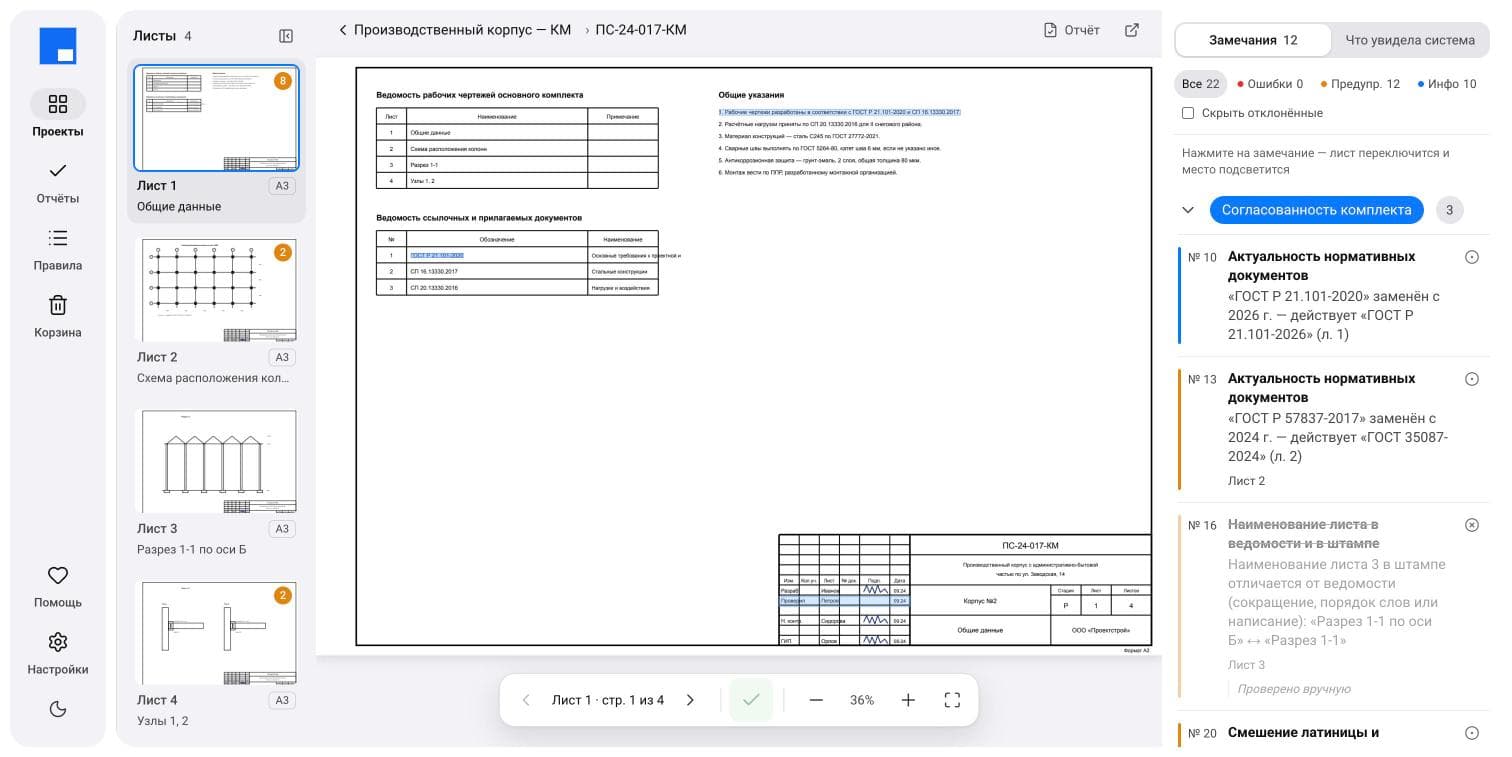
Issues redlined
on the sheet
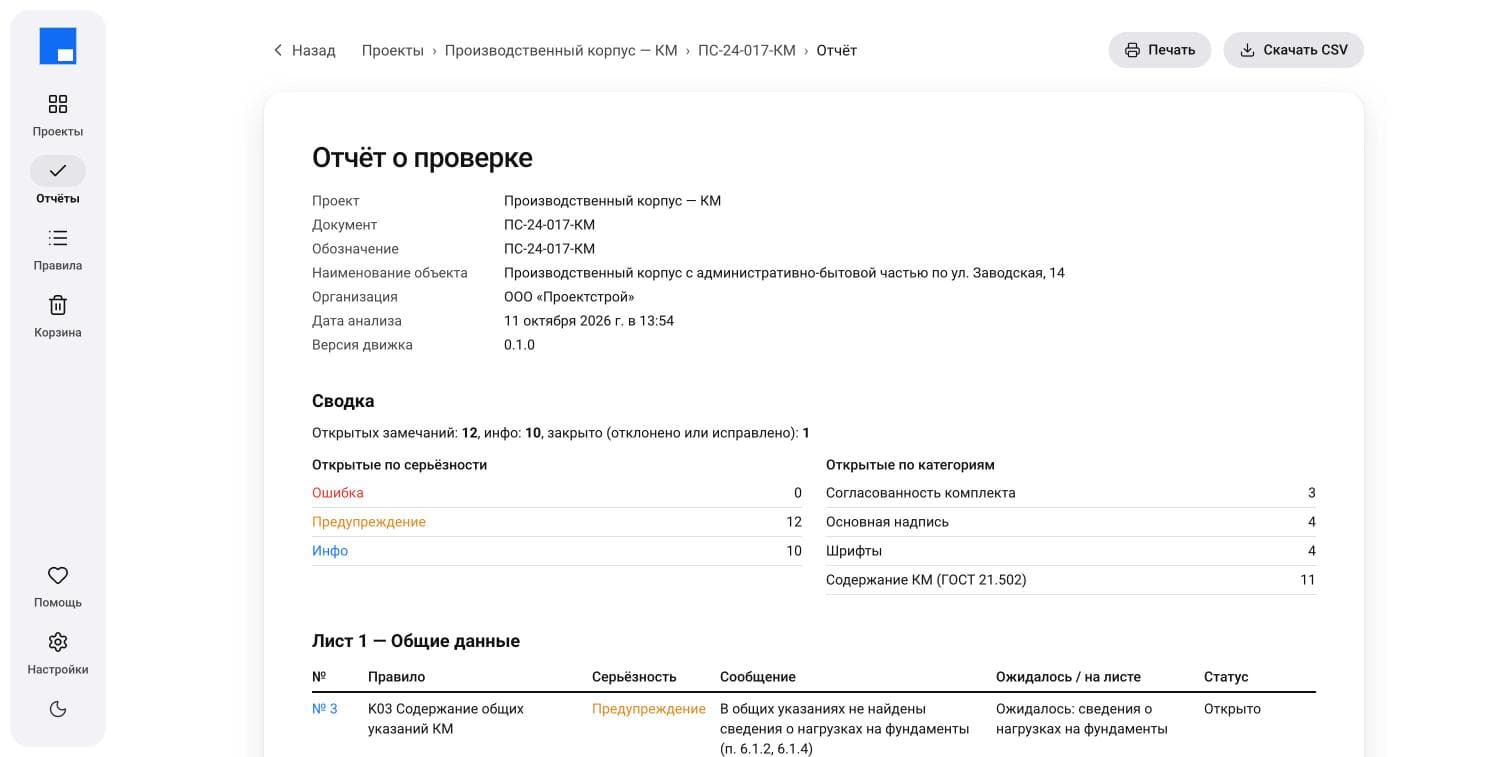
Report and CSV
for Excel
Accept, reject, resolve:
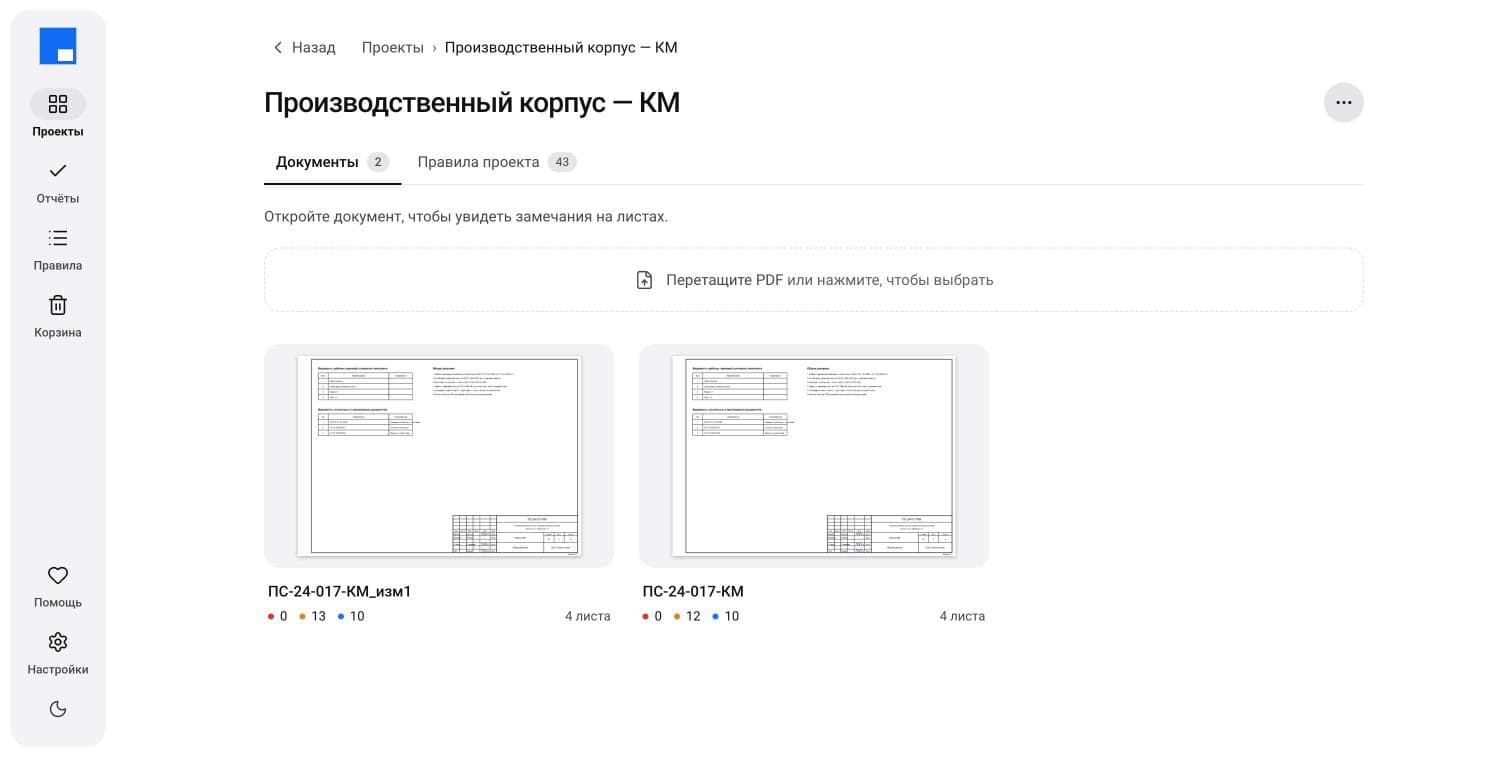
statuses carry over
to every revision
For engineering firms
and fabricators
Engineering firms
QA/QC before IFC: issues get fixed before the client ever sees the set
Steel fabricators
Check incoming design drawings before detailing: take-off mismatches show up at once
Engineers of record and checkers
Linium handles the routine checks, the engineer makes the call
Checks drawings
to GOST R 21.101, GOST 21.502, GOST 2.104, GOST 2.304 and other GOST standards
and reference lists
Drawing presentation
per GOST R 21.101Title block, drawing lists, sheet numbering, sheet sizes, border and fonts
Steel design (KM)
per GOST 21.502Member schedule, steel take-off and its totals, piece marks, bolts, steel grades
Current versions
View the rule set
of referenced standards
Start with a free pilot on your own drawings
The engineer makes the call
- Accept or mark as resolved
- Reject with a comment
- Statuses carry over to new revisions
- Separate login for every user
- Users see only their own projects
- Print-ready report and CSV for Excel
Pilot
We check your steel design set before IFC, free of charge
Drawing discipline
Start a pilotFree, on your own drawingsA dedicated rule set for KM drawings
- Member schedule and piece marks
- Steel take-off and its totals
- Bolts and steel grades
- Presentation per GOST R 21.101 and ESKD
- Every issue redlined on the sheet
- Expected vs. actual value, with the clause cited
Enterprise
For firms with several departments and their own rules
Drawing discipline
Discuss termson request- Turn rules off per project
- Current-version check against 125 standards
- Deterministic rules, no AI
Concrete and architectural drawings, after KM
Your drawings
stay private
Separate login
for every userEach user sees
only their projectsNo AI guesswork:
fully explainableTrash
and restore
Works in the browser
Nothing to install: upload a PDF and open the findings on any computer
- WindowsChrome, Edge,Yandex BrowserOpen Linium
- macOSSafari, ChromeOpen Linium
- LinuxChrome, FirefoxOpen Linium
- TabletiPad,Android tabletsOpen Linium
What Linium caught in the pilot
Pilot steel design set
67 issues
about 40 substantive ones had slipped past the firm's internal QA/QC
Check yoursSecond set
37 issues
on presentation and steel design content
Check yours
Questions and answers
Right now, steel structural design drawings (KM) in PDF, prepared to Russian GOST and SPDS standards. Reinforced concrete (KZh) and architectural (AR) drawings are next.
Engineering firms, EPC contractors and fabricators delivering projects in Russia and the CIS, where drawings must comply with GOST. Linium catches GOST issues before the set goes to the client or for expert review, even if your team has no in-house GOST checker.
Log in to Linium, create a project and upload the PDF files of the set. Once the analysis is done, issues appear right on the sheets, with the spot redlined.
43 rules in five categories: drawing presentation per GOST R 21.101 and ESKD (title block, drawing lists, sheet numbering, sheet sizes, border, fonts), steel design content per GOST 21.502-2016, and cross-cutting checks: Latin characters in Cyrillic text, leftover CAD text, mixed editions of one standard, and whether referenced standards are current, against a list of 125 documents.
The rules are calibrated on pilot sets, but false positives can happen. Any issue can be rejected with a comment, which helps us tune the rules. The rules are deterministic, with no AI: results are reproducible and explainable, and every issue shows the expected and actual value with the clause of the standard cited.
Every user has a separate login and sees only their own projects.
Yes, any rule can be turned off for a project, for example when the client has their own drafting requirements.
From a project you can open a print-ready report or export issues to CSV for Excel. Issue statuses (accepted, rejected, resolved) carry over when you upload a new revision.
The pilot is free: we check your steel design set and walk you through the results. Terms for firms and fabricators are agreed individually.
Get your set checked for free
Send a request: we'll reply within one business day and set up a pilot